

Native support for Apple silicon and extended standard scan length up to 500mm
PFU LIMITED, Japan (President and CEO: Eiji Hirahara), announced an update for the ScanSnap series of image scanners, designed to quickly digitise documents with a single touch.
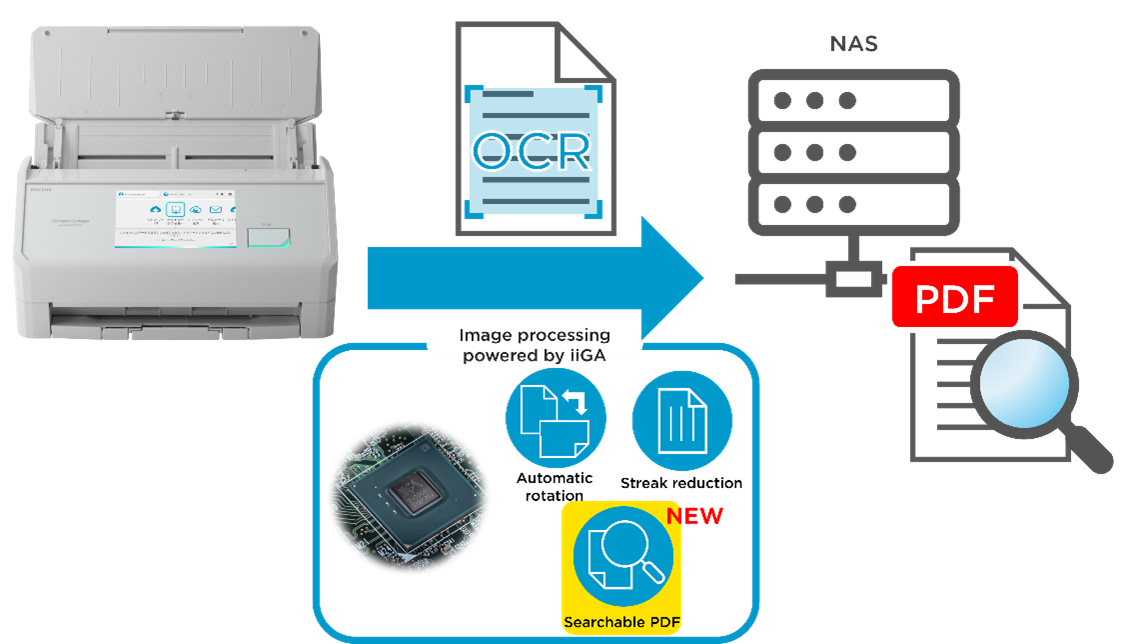
Powered by the next-generation SoC “iiGA,” the ScanSnap iX2500 can now save searchable PDFs directly to folders on a Network Attached Storage device (NAS) without the need for a PC or smartphone.
In addition, ScanSnap Home (for Desktop) now offers native support for Apple silicon Macs.
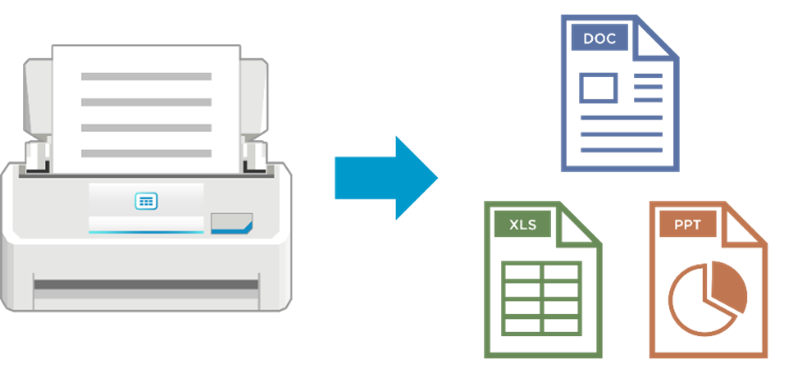
Additionally, the Office file conversion feature, which previously required a separate application, is now integrated into ScanSnap Home (for Desktop) and can be used without any additional installation.
Furthermore, the iX2500 now supports a standard scanning length of up to 500 mm. Documents that previously required switching to long page mode can now be scanned smoothly without changing modes.
Transcending time, location, and devices, ScanSnap connects the analog and digital worlds to offer a smart and comfortable lifestyle.
Update Details
1. Save searchable PDFs directly from the iX2500 to network folders—no PC required
You can now create searchable PDFs when saving directly from the iX2500 to a network folder on a Network Attached Storage device (NAS) without using a PC or smartphone. The iX2500 handles everything from scanning to saving, enabling quick and seamless archiving in both office and home settings. The saved PDFs are text-recognized, making searching smooth.
2. Native support for Apple silicon
The Mac version of ScanSnap Home now natively supports Apple silicon-equipped Macs. Continue enjoying smooth, reliable scanning on your Mac devices.
3. Microsoft® Office conversion now possible without additional installation
|
The Office file conversion feature for scanned data in ScanSnap Home has been updated and is now integrated into the app for both Windows® and macOS®, eliminating the need for a separate software installation.
|
 |
4. iX2500 standard scan length extended to 500mm
|
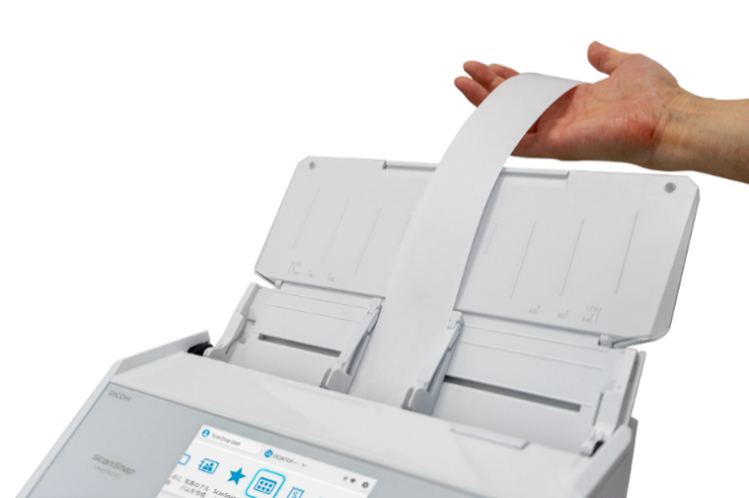
Previously, standard scans supported documents up to 360 mm in length. With this update, the maximum standard scan length has been extended to 500 mm (excluding Excellent mode).
Slightly longer receipts and other documents that previously required switching to long page mode can now be scanned without changing modes.
|
 |
|
For documents longer than 500 mm, long page mode is still required. However, the settings for long page mode have been made more convenient.
Long page settings have been added as an option to temporarily change scan settings directly from the iX2500 touchscreen.
In addition, long page settings are now available in profiles where scan settings can be preset and registered as icons, allowing you to create profiles where scan settings can be preset and registered as icons, allowing you to create profiles specifically for long documents in advance.1
|
 |
Download and Update Method
Firmware Update Method
To use the new features, you must update the firmware via ScanSnap Home. Please see the "Updating the Firmware in ScanSnap Home" for full steps.
| ScanSnap Home (for Desktop) | Details |
|---|---|
| Supported Operating Systems & Processor Architecture | Windows® 11 64-bit (Intel® x64 / AMD® x64 / ARM64*1), Windows® 10 64-bit (Intel® x64 / AMD® x64) / Windows® 10 32-bit (Intel® x86 / AMD® x86), macOS® 12 Monterey or later (Intel® or Apple silicon) |
| CPU |
Windows: Intel or Intel-compatible processor, ARM-based processor (iX2500, iX2400 only) macOS: Intel or Apple silicon |
| Download Location |
https://www.pfu.ricoh.com/imaging/ssacc/en/start_download_21.html |
*1 Only ScanSnap iX2500 and iX2400 are compatible with Windows® 11 (ARM64). Other ScanSnap models and earlier versions of Windows are not supported on ARM‑based Windows PCs.
| ScanSnap Home (mobile) | Details |
|---|---|
| Supported Operating Systems |
iOS® 16 or later / iPadOS® 16 or later Android™ 10 or later / ChromeOS™ 115 or later (with Google Play support) |
| Download Location |
App Store: https://apps.apple.com/us/app/scansnap-home-scan-pdf-ocr/id6447339688
|


*There may be a delay before this update becomes available. If the update does not appear, please try again later.
For more information on the ScanSnap iX2500 visit:
https://www.scansnapit.com/en-gb/products/scansnap-ix2500
Website
https://www.scansnapit.com/en-gb/
Notes
1 Only available for profiles in the ScanSnap Home (for Desktop). Support for ScanSnap Home (for Mobile) is planned for a future update.
Trademarks
- Microsoft®, Windows®, and Microsoft® Office are trademarks of the Microsoft group of companies,
- macOS®, iPadOS®, App Store® and iOS® are trademarks of Apple Inc., registered in the U.S. and other countries. iOS is used under license.
- Android™, ChromeOS™ and Google Play™ are trademarks of Google LLC.