
Scanner Support Downloads


 If you are US based, please visit the ScanSnap US website for relevant information and support: www.pfu-us.ricoh.com/scanners/scansnap
Download User Manuals and ScanSnap Desktop and Mobile Apps for your Windows®, macOS®, Android™ and iOS devices.
 Desktop apps
 ScanSnap Home
ScanSnap Home is the latest personal productivity application specially designed for ScanSnap scanners, enabling you to scan different types of documents, receipts, business cards, and photos and easily manage, edit, and use the scanned data.
System Requirements
| Platform | CPU Architecture | Supported Versions | ScanSnap Compatibility |
|---|---|---|---|
| Windows® | Intel®/AMD® x86/x64 | Windows® 10 (32-bit/64-bit: Home, Pro, Enterprise, Education, LTSC, LTSB) Windows® 11 Home, Pro, Enterprise, Education |
iX100, iX1300, iX1400, iX1600, iX2400, iX2500, SV600 |
| Windows® | ARM64 (Including Snapdragon™) New in December 2025. |
Windows® 10 ARM64, Windows® 11 ARM64 | iX2400, iX2500 |
| macOS® | Intel® x64 | macOS® Catalina 10.15 or later | iX100, iX1300, iX1400, iX1600, iX2400, iX2500, SV600 |
| macOS® | Apple® Silicon (M1/M2/M3) | macOS® Catalina 10.15 or later | iX100, iX1300, iX1400, iX1600, iX2400, iX2500, SV600 |
Other (legacy) ScanSnap models may require legacy ScanSnap Manager software.
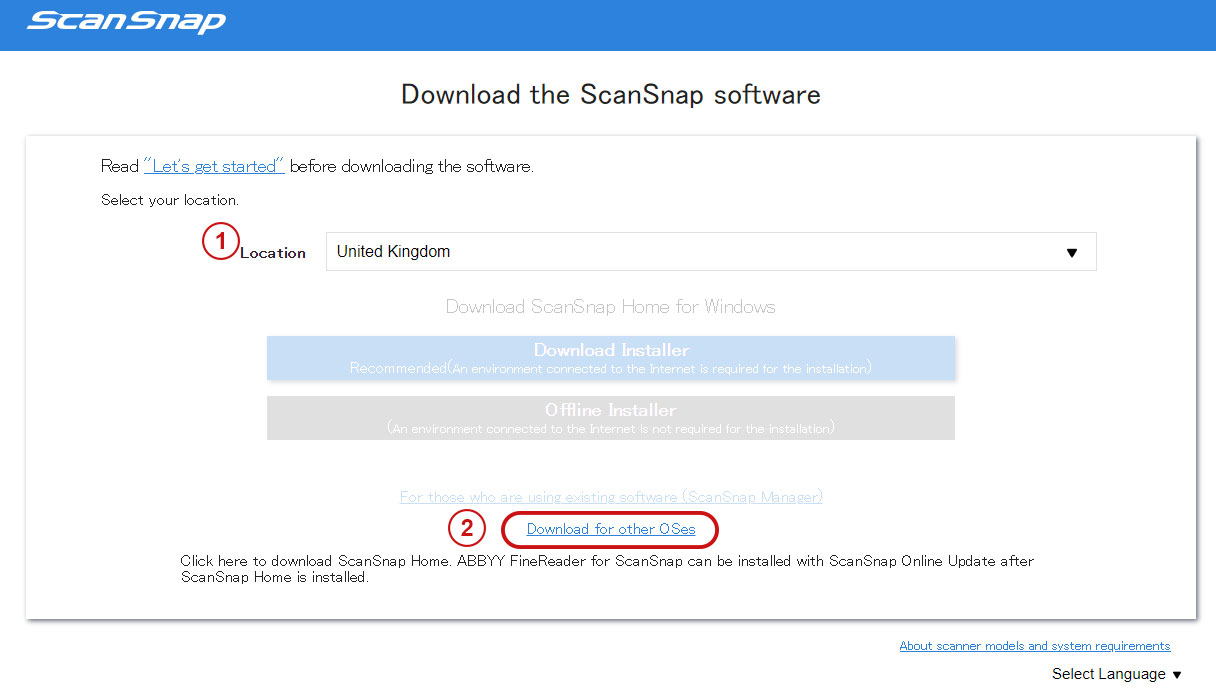
*For MacOS
- Select your location
- Click "Download for other OSes"
All Desktop Apps, including Legacy products
For the full list of all ScanSnap Desktop Apps, including legacy applications and those that support legacy ScanSnap products or earlier versions of Windows® and macOS®.
Mobile Apps
 ScanSnap Home (for Mobile)
ScanSnap Home (for mobile) is available as a free download from the App Store or Google Play in countries where ScanSnap Cloud is available. For countries where ScanSnap Cloud is available, please visit here.
Requires: ScanSnap iX100, iX1300, iX1500, iX1600.


 Manuals
Download user manuals for your ScanSnap.